
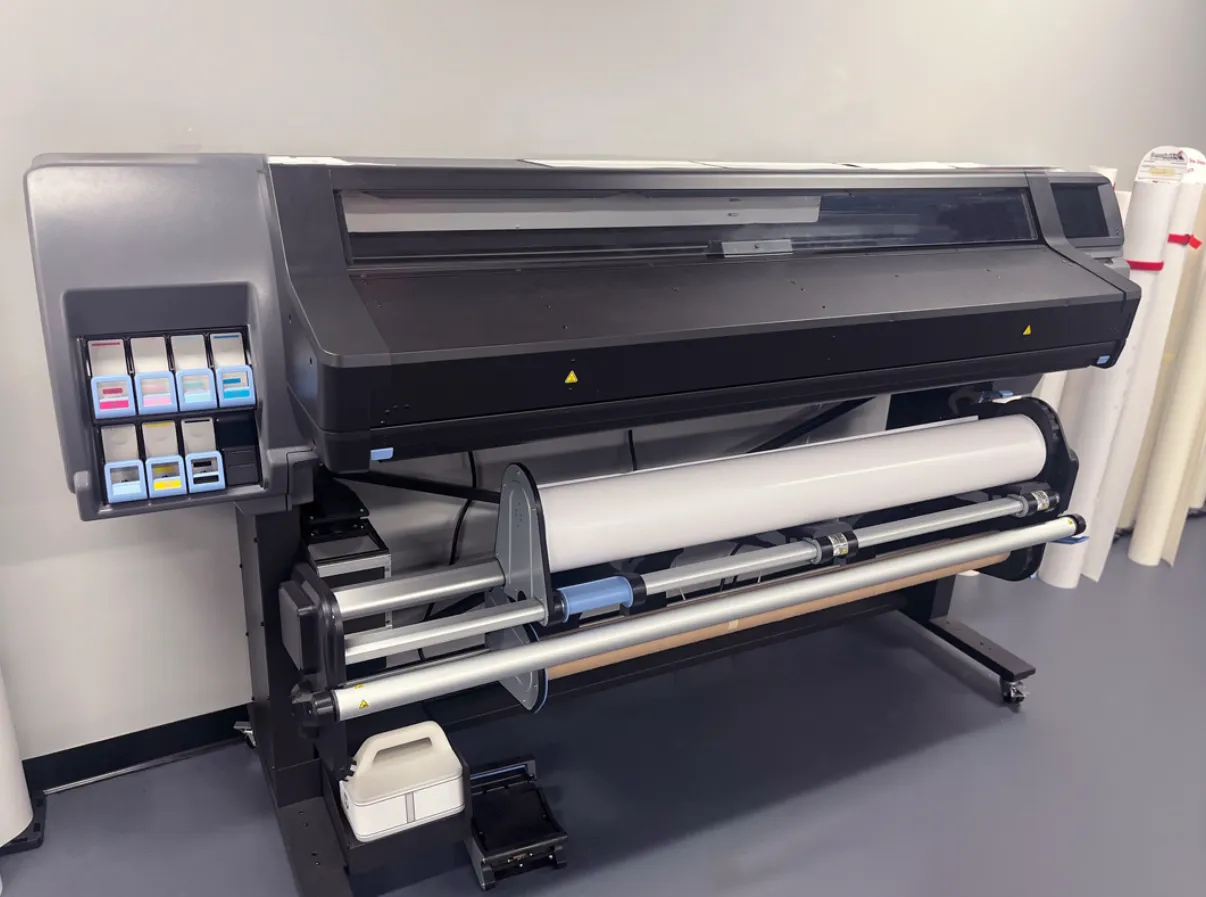
Large format printing demands different technology than standard office equipment. Banners, architectural plans, retail signage, and exhibition graphics all require machines that handle wider media while maintaining quality. The Australian wide format printing market grew 8.3% in 2023 reaching $780 million in revenue. This growth reflects increasing demand for physical marketing materials despite digital trends. Quality wide printers handle substrates regular printers can’t touch. Vinyl, canvas, fabric, photo paper, and rigid boards all need specific feed systems and ink formulations. Buying the wrong machine wastes money and produces disappointing results. Understanding application requirements before purchasing prevents expensive mistakes.
What Separates Professional Grade from Entry Level Machines?
Print speed matters for production work. Entry machines might print 2 square meters per hour. Professional units hit 20 square meters or more. If you’re running a sign shop doing dozens of banners weekly, slow equipment creates bottlenecks. Speed translates directly to capacity and revenue.
Color accuracy distinguishes professional output. Cheap printers use four color process that struggles with brand colors. High end machines add orange, green, or light variants achieving wider gamuts. Pantone matching becomes possible. Clients notice when their brand blue looks purple.
Media handling flexibility expands job options. Basic printers accept roll media only. Professional systems handle rigid boards, thick fabrics, and specialty materials. Being able to print directly on foam board or wood eliminates mounting steps saving time and labor costs.
How Do You Match Printer Technology to Application Needs?
Aqueous printers suit indoor graphics and photography. Water based inks produce excellent photo quality but lack outdoor durability. They’re perfect for retail posters, art reproductions, and indoor signage. Running costs stay lower than solvent systems.
Solvent printers handle outdoor work. Eco solvent or true solvent inks resist UV and weather. Banners, vehicle wraps, and outdoor signage need this durability. These machines cost more and require ventilation but prints last years outdoors without fading.
UV printers offer ultimate versatility. Ultraviolet cured inks stick to almost anything. Glass, metal, acrylic, leather all become printable. No drying time needed. Prints cure instantly under UV lamps. Initial investment is steep but capability opens markets other technologies can’t serve.
What Hidden Costs Should You Plan For?
Ink consumption exceeds initial estimates. Manufacturers quote costs based on specific coverage percentages. Real world graphics often use more ink. Budget 20 to 30 percent above quoted costs. Also factor in waste during startup, cleaning cycles, and test prints.
Maintenance supplies add up. Print heads wear out eventually. Cleaning solutions, wiper blades, and dampers need regular replacement. Some machines require professional service contracts. Annual maintenance can run $2,000 to $5,000 depending on model and usage.
Media costs vary wildly by quality. Budget vinyl runs $50 per roll. Premium cast vinyl costs $200. Photo quality papers, canvas, and specialty substrates push costs higher. Matching media quality to job requirements prevents wasting expensive materials on low value work.
Does Print Resolution Actually Matter for Large Graphics?
Viewing distance determines necessary resolution. Banners viewed from 10 meters away look fine at 360 dpi. Close up retail displays need 720 dpi or higher. Understanding intended viewing distance prevents over spending on unnecessary quality or under delivering on critical jobs.
File preparation affects output quality more than printer specs sometimes. Poorly designed files with low resolution images look bad on any machine. A 1440 dpi printer can’t fix 72 dpi source images. Educating clients about file requirements prevents disappointment.
Production speed drops at maximum resolution. Running at 1440 dpi might take four times longer than 720 dpi. Time is money in production environments. Most applications look identical at lower settings. Reserve maximum quality for specific applications that justify the time cost.

Ferderik Moller is a passionate blogger with expertise in massages, relationships, and festivals. He shares unique insights, expert tips, and creative ideas to nurture well-being, strengthen bonds, and elevate the joy of celebrations and special moments.


