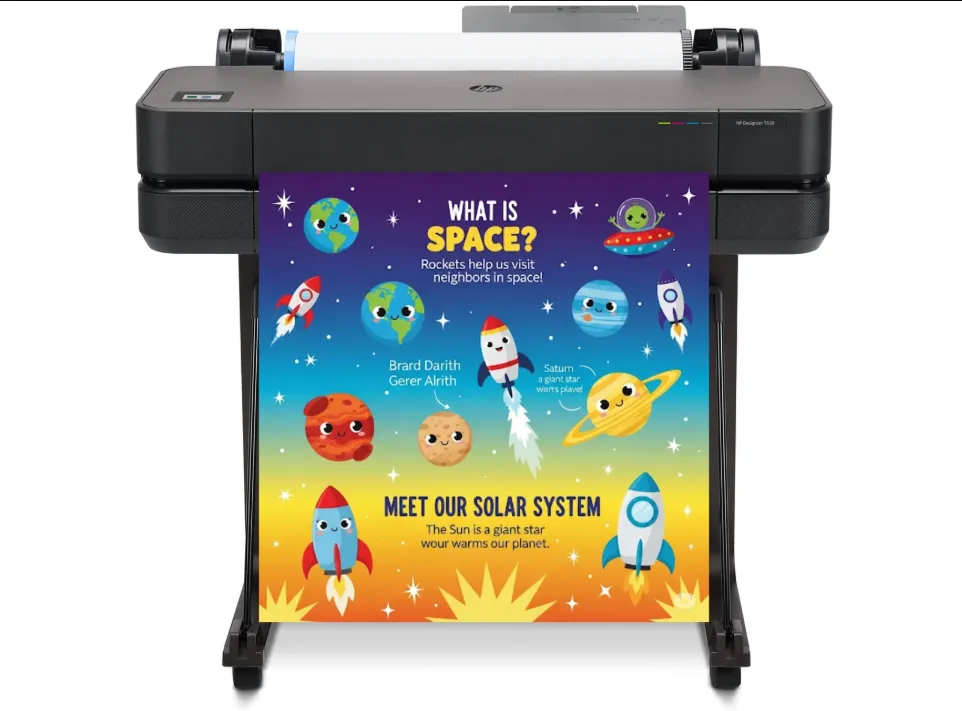
If you want people to stop scrolling and stare, you’re going to need to up your visual marketing game. Posters are a great way to catch attention, both online and offline, whether you’re a new entrepreneur, beginner marketer, or a content creator. There are plenty of online platforms to design a poster, so many that it can get confusing knowing which one to pick.
In this guide, we’ll break down 5 top-rated poster design tools: PosterMyWall, Canva, Adobe Express, Visme, and VistaCreate. We’ll compare their usability, pricing, features, and use cases. Additionally, we’ll go over some helpful tips to help you pick the right tool and start designing instantly.
1. PosterMyWall
Overview
PosterMyWall is a beginner-friendly, all-in-one, and feature-rich marketing hub. Whether you’re looking to design a poster or start an email campaign, this platform’s got you covered. Its drag-and-drop editor and template library makes poster design simple, efficient, and creative.
Features
- Create with AI: Generate unique and custom visuals instantly.
- Smart editing features: AI text-to-image generator, AI subtitles, AI writer, and AI redesign.
- Built-in marketing tools: Email campaigns, social media publishing, and content planner.
- Video and animation tools: Video editor, recorder, animated post creator, and audio library.
- Business and event tools: Event landing pages, brand kits, digital signage, and one-click resize for different social media platforms.
- Template library: 3.77M+ templates and one-touch style palettes.
Pricing
- Free plan
- Premium plan: $9.95/month
- Premium Plus plan: $29.95/month
- Team: Custom pricing
Best Use Cases
- Small businesses
- Local organizations
- Educators and students
- Charities and NGOs
- Marketers
- Event promoters
- Churches and religious communities
2. Canva
Overview
Canva’s known as an industry-leader in general-purpose design. It offers ease, accessibility, and user-friendliness in each step. The interface is easy to navigate and there are visual guides available to make designing even simpler. You can use one of its millions of poster templates to get started and use a drag-and-drop editor to customize it according to your needs.
Features
- AI tools: Magic Design, Magic Retouch, and text-to-image generator.
- Brand kits: Keep visuals consistent across different social media.
- Collaboration: In real-time designing and sharing within a team.
- Template gallery: Many template layouts for presentations, icons, ads, posts, flyers, posters, and more.
Pricing
- Free plan
- Pro plan: $12.99-14.99/month
- Teams: $20/month (per user)
- Enterprise: Custom pricing
Best Use Cases
- Educators and students
- Beginner graphic designers
- Social media managers
- Content creators
- Marketing teams
3. Adobe Express
Overview
Adobe Express is Adobe’s answer to simplified graphic design. Powered by Firefly, this platform allows its users to create polished graphics in a matter of minutes. This platform boasts a large template gallery designed for accessibility and quickness. If you’re looking for complex poster designing, this platform also offers enhanced layer control, layer management, and task-specific editing features for any element.
Features
- AI tools: Text-to-image generation, generative fill, text effects, and text-to-template options.
- PDF editing: Editing, converting, and formatting PDFs within the editor.
- Brand kits: Save and reuse logos, colour palettes, and brand fonts.
- Quick actions: Resize, edit, remove background, and more.
Pricing
- Free tier
- Premium: $9.99/month per user
Pro tip: If you buy Adobe’s Creative Cloud, you’ll get access to Premium Adobe Express as well.
Best Use Cases
- Designers existing within the Adobe ecosystem
- Content creators
- Beginner graphic designers
- Small corporate teams
- Visual artists
4. Visme
Overview
Visme’s the best fit for professionals that often create data-heavy infographics or posters. Its main focus lies in data visualization but it can double as a digital poster maker as well. If you need to communicate information clearly and via numbers, Visme has all the tools to simplify your workflow.
Features
- Data visualization features: Turn raw data into charts, editable graphs, create maps, and insert animated 3D widgets into your poster.
- Brand wizard: Analyze a website’s URL to extract fonts, colours, and logos to create a brand kit.
- Microsite builder: Generate no-code, single-page web experiences to embed on your website.
- Collaboration: Supports real-time editing and comments for larger teams.
Pricing
- Free tier
- Starter: $29/month
- Pro: $59/month
- Enterprise: Custom pricing
Best Use Cases
- Educators and students
- Medical industry
- Corporate teams
- Data-heavy campaigns
- Infographic creation
5. VistaCreate
Overview
If you’re looking to spice up your posters with interactive elements and animated widgets, this platform’s got your back. VistaCreate offers its users a variety of templates, focusing on trendy social media visuals. It’s simple, beginner-friendly, and doesn’t have a steep learning curve so you can start designing instantly.
Features
- AI tools: AI image generator, AI object remover, AI background remover, AI sticker maker, and AI video editor.
- Templates: Thousands of professionally-designed templates, creative assets, and animated effects are available.
- Workflow management: Brand kits, one-click resize, social media schedulers, and team collaboration features.
- Integrations: VistaPrint, unlimited storage in Pro plans, and cross-platform editing (desktop vs mobile app)
Pricing
- Free tier
- Pro: $13/month
Best Use Cases
- Social media managers
- Video content creators
- Lifestyle bloggers
- Beauty and health brands
How to Pick the Right AI Poster Design Platform?
You don’t need to chase the platform with the most features, choose something that actually simplifies your workflow and makes your life easier. To make a smart decision, here are some practical factors to consider:
1. Define Content Goals
Design tools should be picked on the basis of design end goals. If you’re looking to promote events, go for PosterMyWall for bulk editing and ready-made layouts. However, if you’re going to be creating mostly informational graphics, use Visme for data visualization features.
2. Look for Platform Compatibility
In a digitally-invested age, we rarely just post to one social media platform at a time. Look for a tool that allows you to resize, format, and auto-adjust designs according to platform-specific dimensions. A smart way to go about this is to design in a larger format (poster) and then scale down to preserve quality.
3. Evaluate AI Features
Features like AI background remover and AI text-to-image generator can save you a lot of needless time in last-minute edits. Make sure you only use AI to get off at a smooth starting point and then refine manually for polished results. Keep in mind, you need to generate 2-3 AI design variations to get one you actually like.
4. Discover Collaboration Options
Even if you’re working alone, it’s important to consider future expansions. Pick a tool that allows you to collaborate with your team in real-time, share seamlessly, and design in one editor. Features such as commenting, version history, and shared folders can also dramatically speed up bulk designing.
5. Consider Budget Constraints
Most tools are advertised as ‘free’ but often become inconvenient over time. It’s best to find a cost-effective premium plan than to rely solely on features available in a Freemium model. Look for:
- Watermarks on downloads
- Limited export qualities
- Locked premium templates
- Cost per download
- Monthly subscription prices
- Essential features (are they free?)
If you design often and in large batches, opt for a monthly subscription rather than a pay-per-download model.

Ferderik Moller is a passionate blogger with expertise in massages, relationships, and festivals. He shares unique insights, expert tips, and creative ideas to nurture well-being, strengthen bonds, and elevate the joy of celebrations and special moments.